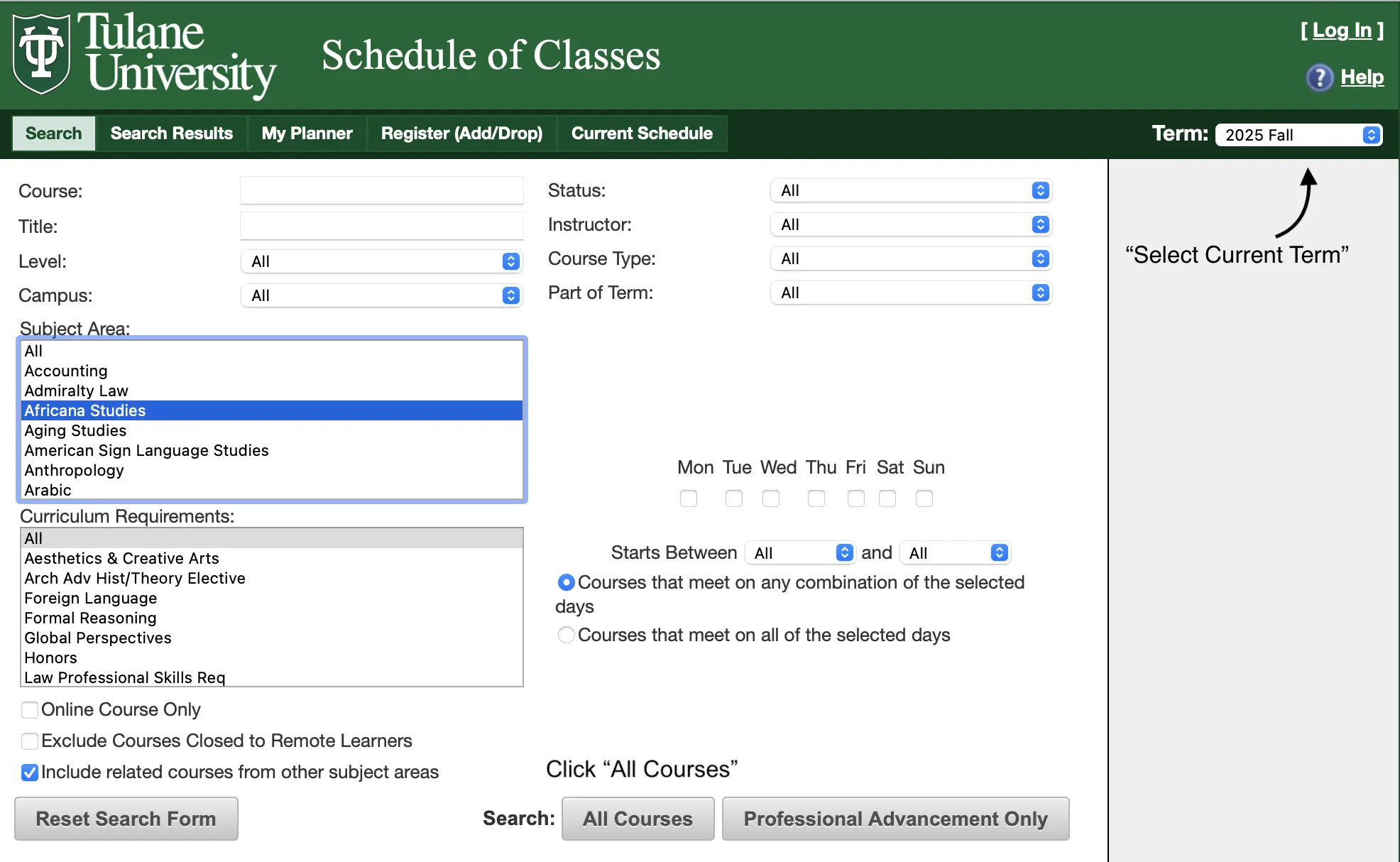

How to View Current or Past Courses by Major or Subject Area at Tulane
- Visit the Tulane Class Schedule Search Page. Go to the Tulane Class Schedule Search Page .
- Set the term. At the top of the page, select the current term or desired term from the drop-down menu (for example, Fall 2025 or Spring 2026).
- Select the subject area. Scroll down to Subject Area and choose your department, program, or subject area from the list.
- Select “All Courses.” After selecting the subject and term, select All Courses to search for classes.
- View available courses. Browse the list of courses offered for credit, along with details such as meeting times, instructors, and prerequisites.
Complete information about all degrees can be found in the Tulane University Catalog .